
Visitor Management for Schools: Why Sign In Books Are Not Enough
Walk into the reception of almost any UK school and you will still find a paper sign in book on the counter. A visitor writes their name, the time and who they are visiting. Sometimes they peel off a sticky label. Sometimes they do not. Then the book goes back on the desk, and nobody looks at it again until the next person arrives.
It feels like a system. It is not really a system. It is a record of who visited that nobody has verified, stored in a format nobody can search, holding personal data that nobody has a plan for deleting.
For schools with genuine safeguarding responsibilities, that is a problem worth taking seriously.
What a paper sign in book cannot do
Paper sign in books have three fundamental problems that no amount of neatness or discipline can fix.
First, they cannot verify identity. Anyone can write any name in a sign in book. A visitor who should not be on site can walk past a busy reception desk, scrawl something illegible, and be on the premises without challenge. There is no way to know who actually came through the door.
Second, they cannot check safeguarding lists in real time. Schools are legally obliged to take reasonable steps to ensure that people on site do not pose a risk to children. A paper book cannot run a check against the DBS barred list or flag a visitor who has been banned from the premises. A digital system can.
Third, they create a GDPR headache. Every name, contact number and purpose of visit written in that book is personal data. Under UK GDPR, personal data should only be kept for as long as it is needed and must be stored securely. A paper book sitting on a reception desk, visible to anyone who walks up, fails both tests.
The safeguarding case for going digital
Keeping Children Safe in Education, the statutory guidance that every school in England must follow, is clear that schools should have appropriate systems to control access to the site and manage the flow of visitors. Ofsted inspectors ask about safeguarding procedures as a matter of course, and visitor management is part of that picture.
A digital visitor management system gives schools something a paper book simply cannot provide: a real-time record of exactly who is on site, at what time, and for what purpose. If a concern is raised during or after a visit, the school has accurate, searchable, timestamped evidence. That matters enormously when the alternative is trying to read someone's handwriting in a dog-eared notebook.
For schools that have had safeguarding concerns in the past, or that operate in challenging catchment areas, having that audit trail is not just best practice. It is protection.
Fire safety: knowing who is in the building
There is a practical safety argument that does not get discussed enough. In the event of a fire or emergency evacuation, how does your school know who is in the building?
The paper sign in book is on the reception desk. In an evacuation, someone has to think to grab it. Then they have to read it on the playground in the wind, compare names against the class registers, and try to account for contractors who signed in at 8am and may or may not still be on site.
A digital system produces an instant, accurate evacuation report available on a tablet or mobile device. You know who is on site, where they were heading and whether they have been accounted for. That is not a nice-to-have. It is a meaningful improvement to fire safety for everyone in the building.
What InVentry does and why schools choose it
InVentry is the UK's leading visitor management system for schools and is trusted by over 10,000 sites across the country. It is built specifically for the education sector, which means it handles the things that matter in a school environment rather than trying to adapt a corporate product to fit.
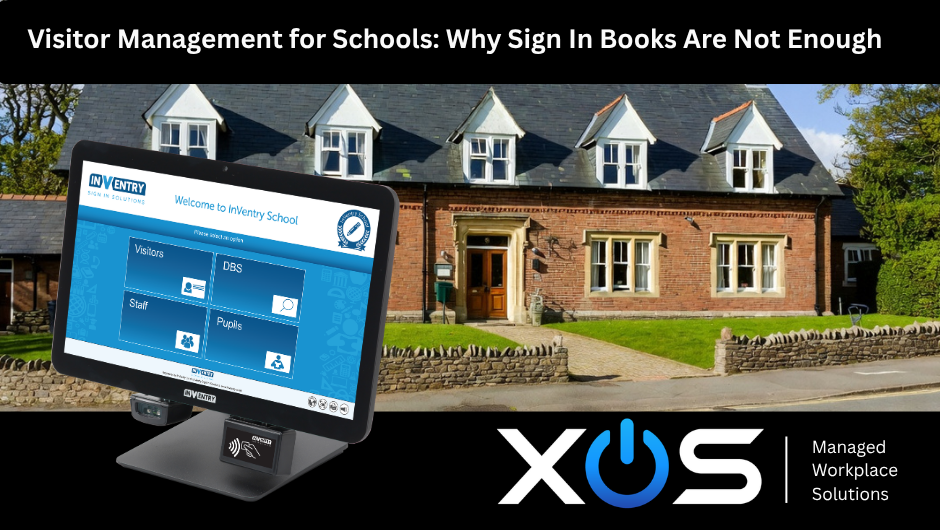
When a visitor arrives, InVentry captures their name, photograph and reason for visiting. It prints a photo ID badge automatically so they are clearly identifiable while on site. It can run real-time checks against the DBS barred list and can be set to alert the designated safeguarding lead if a flagged individual attempts to sign in.
The system handles far more than visitors. InVentry manages staff sign in, pupil late arrival registration, contractor access and pre-booked appointments. For multi-academy trusts operating across multiple sites, it provides a single consistent system with centralised reporting across the whole trust.
From a GDPR perspective, visitor data is stored securely, retained only for the period defined in your school's data retention policy, and deleted automatically when that period expires. There is no paper book to shred, no handwritten data sitting in a cupboard for years, and a full audit trail available to your data protection officer at any time.
What does installation actually involve?
One reason schools stick with paper is the assumption that moving to a digital system means a complicated IT project. In practice, InVentry is straightforward to set up and does not require major infrastructure changes.
The core system runs on a touchscreen kiosk at reception, connected to your school network. It integrates with your existing MIS, so staff and pupil records do not need to be entered manually. Setup typically takes half a day, and reception staff are usually comfortable with the system within the first hour of use.
For schools that want to go further, InVentry supports multiple entry points, so larger sites can have kiosks at every gate or building entrance. Pre-registration allows visitors to complete their details before they arrive, which speeds up sign in and removes the bottleneck at the front desk during busy periods like parents' evenings.
Is it expensive?
Cost is always a consideration in schools, and it is worth being direct about this. InVentry is not free, but it is not as expensive as most school business managers expect when they first look at it.
The system is priced on a per-site subscription model, which means the cost is predictable and sits in the revenue budget rather than requiring capital approval. For a single school, annual costs are typically well within the budget of most pastoral or admin teams.
For MATs, volume pricing across multiple sites often brings the per-school cost down significantly. If you are managing safeguarding across five or ten schools from a central trust team, the ability to see who is on any site at any time, without picking up the phone, has a real operational value.
How XOS supports InVentry in schools
XOS is an authorised InVentry partner supplying schools, academies and multi-academy trusts across the Humber region and the wider UK. We do not just sell the software. We handle the full process from initial consultation through to installation, configuration and ongoing support.
That means one point of contact for everything. If the kiosk has a problem, you call us. If you need to add a second entrance, you call us. If a member of reception staff leaves and their replacement needs a refresher, you call us. We are a local partner who stays involved, not a software company with a helpdesk ticket system.
We also work alongside the other technology services we provide to schools, including laptop leasing through our Device as a Service offering and secure charging and storage through LapSafe. If your school is building out its technology setup and wants a single supplier who understands the education sector, that is exactly what XOS is built for.
Ready to replace the sign in book?
If your school is still relying on a paper visitor book, now is a good time to look at the alternative. InVentry is trusted by thousands of UK schools for a reason, and getting set up is simpler than most schools expect.
Book a free demonstration with the XOS team and we will show you exactly how InVentry works, what it would look like in your reception, and what it would cost. No obligation, no pressure, just a clear picture of your options.
Call XOS on 01472 355880 or book a free demonstration at xosuk.co.uk and one of our education specialists will be in touch.


Comments